

Let’s be real—after a while, all that grinding, managing, and micromanaging in Plants vs. Brainrots make exhausting and straight-up boring. That’s why a lot of players turn to scripts for Plants vs. Brainrots. These scripts handle stuff automatically, so you don’t have to sweat every little thing and can just enjoy the game without the nonstop grind.
If you’re hunting for Plants vs. Brainrots scripts, you’re in the right spot. We’ve rounded up the most popular, reliable, and actually working scripts to help you dominate the game with way less effort.
CONTENTS

How to Download Scripts for Plants vs Brainrots
You DON'T actually need to download any separate script files for Plants vs Brainrots.
All you really need is a Roblox executor—that’s the tool that lets you run scripts in-game. Once you’ve got one installed, just copy the script, paste it into the executor, hit run, and you’re good to go.
EXECUTOR | SUPPORTED PLATFORM | CONS | LINK |
Delta Executor | Android, iOS, and PC | Requires manual updates after Roblox patches | https://delta-executor.com/ |
Xeno Executor | Windows PC | No Android and iOS version | https://xeno-executor.com |
KRNL Executor | Android and iOS | Lacks Windows PC support | https://krnlexecutor.com/ |
Arceus X Neo | Android and iOS | Limited PC support | https://arceusx.com/ |
Below is a list of some of the top Roblox executors available for Android, iOS, and PC:

All Plants vs Brainrots Scripts
Below you can view the complete list of current and working Plants vs. Brainrots scripts. Click the plus sign next to the script name to copy its code and use it for your own needs in Plants vs. Brainrots.
Here is a list of all known and verified Plants vs. Brainrots scripts:
How to Run Plants vs Brainrots Scripts
Remember: you DO NOT need to download the scripts themselves! Only paste them in Roblox Executor.
Here is step-by-step guide how to use Plants vs Brainrots Scripts:
Step 1
Go to the official Xeno Executor website and download the program. Copy the download link [https://xeno-executor.com/download/], paste it into your web browser, and click the blue Download Now button.


Step 2
Once the archive finishes downloading, extract all files to any folder you prefer on your computer. After extracting, open Xeno.exe.
Note: If Xeno won’t launch or starts asking for extra stuff, you’ll probably need to install or update the .NET SDK and Visual C++ runtime. Quick install, restart, and you should be back in the game.

Step 3
With Xeno running, start Roblox. Then press the Attach button (highlighted in the image) to connect Xeno Executor to Roblox.
Important: Always open Xeno before launching Roblox. If you start Roblox first, the game may crash or freeze, and the executor may not function properly.

Step 4
Choose the script you want to use for Plants vs Brainrots and copy it. Paste the script into Xeno (as shown in the image), then click the Execute button.


Step 5
After executing the script, wait a few moments. If everything is working correctly, a loading message will appear, followed shortly by the script’s menu.

If nothing pops up after you run the script, it’s probably outdated or the dev stopped supporting it—yeah, it happens.
When it does load, you’ll usually get access to stuff like god mode, fly, and other busted script features to mess around with.
Also, if your current executor isn’t cutting it, there are other options out there for Roblox scripting—Delta Executor is a popular pick, especially for Android players.
Popular Plants vs Brainrots Scripts Features
Every Plants vs. Brainrots script hits different. Some overlap with similar features, others are stacked with extra options, and some keep it super barebones. Browse around and grab the one that matches your playstyle and what you’re trying to do in-game.
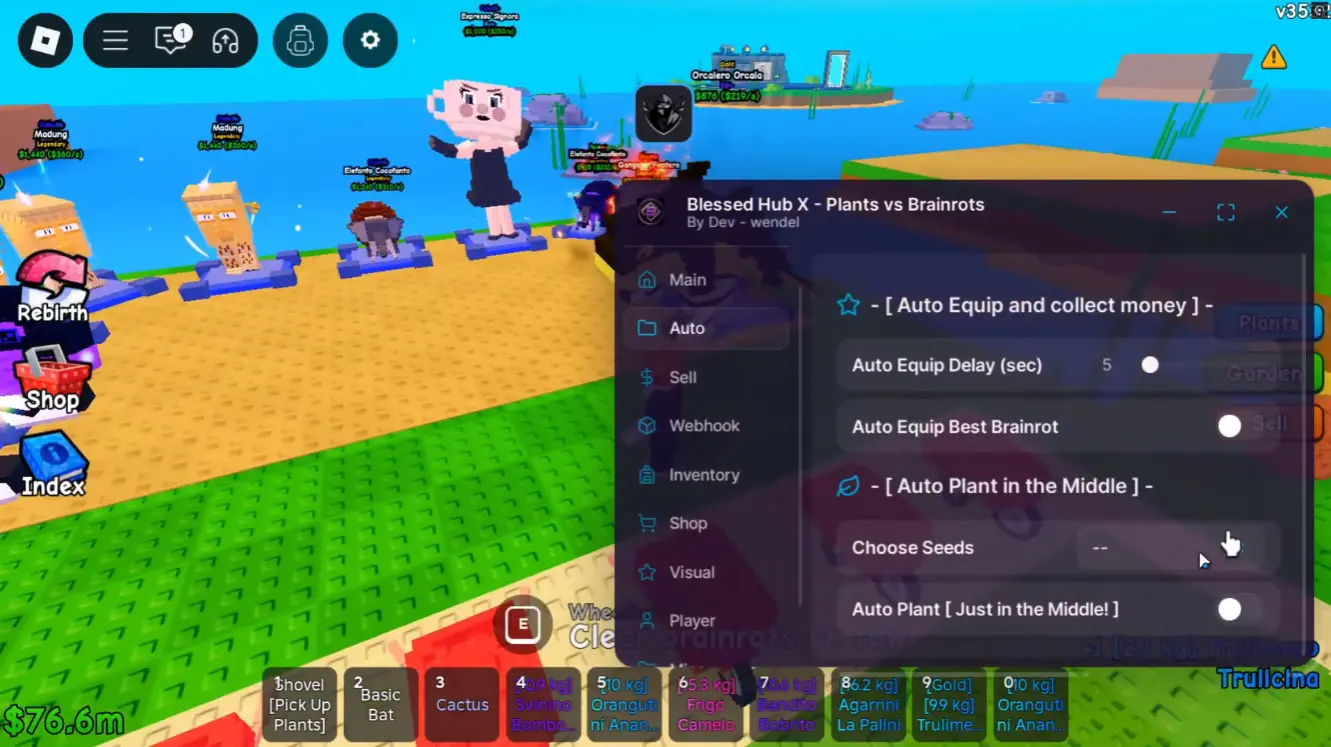
However, each script will be useful to you in its own way, giving you an advantage and simplifying the gameplay.
Below you can familiarize yourself with the popular features of Plants vs. Brainrots scripts:
- Automatic plant planting
- Automatic plant collection
- Automatic plant selling
- Automatic buying
- Automatic money collection
- Kill aura
- Teleport
- Flight
- Item duplication
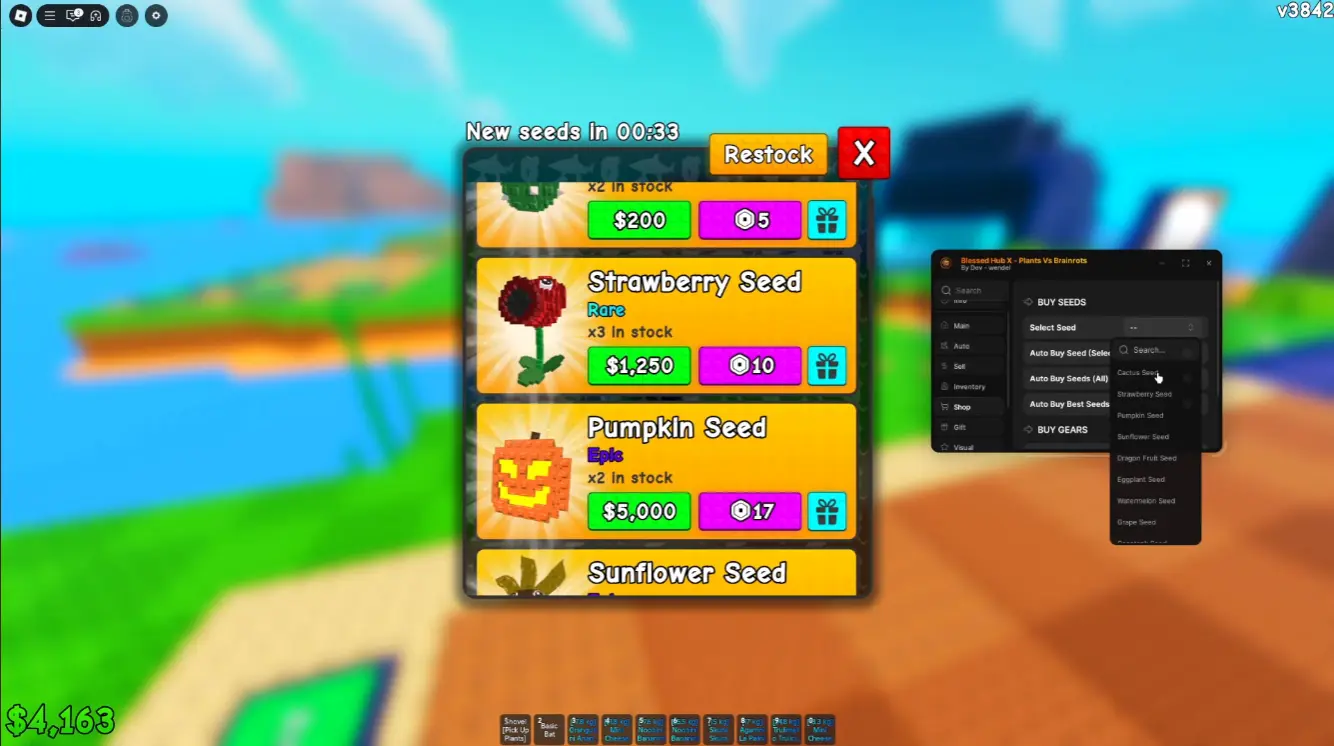
You can mess with every setting however you want—pick what gets auto-sold, auto-bought, or auto-planted, set your TP spots, choose what the script does, all that good stuff.
End result? The game basically plays itself. Let it run while you’re AFK, grabbing food, touching grass, or doing whatever IRL. No worries about getting kicked for being idle—just set it, let it cook, and come back to free progress.
FAQs about Plants vs Brainrots Scripts

Do Plants vs Brainrots scripts require keys?
Not every script requires a key, but some do. Some become functional (without needing keys) on certain days of the week.
Can you get banned for using scripts in Plants vs Brainrots?
Since scripts can be equated to cheats, there is a significant chance of getting banned for using them. However, if you use scripts in Plants vs. Brainrots cautiously, you can avoid suspicion—especially if you don't enable features that provide impossible abilities for regular players.
Can you use Plants vs Brainrots scripts on a smartphone?
Most scripts work on both PC and mobile devices—especially if you use the right executors, like Delta Executor.


Comments12