


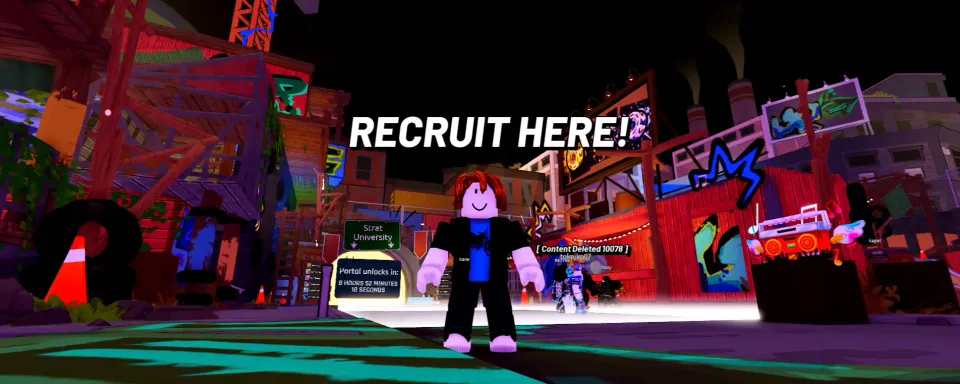
The Roblox event, The Takeover, is about to begin, and you'll need to capture territories. Of course, you can participate and act on your own, but as they say, there's strength in numbers. By gathering a large team of players, it will be easier for you to complete tasks, capture territories, and win during the event. If you're still unsure how to create your own crew or join someone else's, this guide will help you figure it out.

How to Create a Crew in The Takeover
Creating a team for The Takeover event in Roblox is very simple. Follow these steps:
- Enter The Takeover in Roblox.
- Find a building with a white sign that says "Recruit Here!" above it.
- Approach the window and hold the F key on your keyboard.
- Press the Create button to start creating your own crew.
- Enter your desired crew name and description, and customize the logo.
- Click Confirm to complete the crew creation in The Takeover.
The image system offers numerous customization options. You have 27 background presets, 36 frames, and 31 symbols that can be combined to create hundreds of unique combinations. Once your crew's appearance is ready, confirm your choice to officially create it.
From this point, you can send invitations to other players. Keep in mind that one crew can have up to 100 members, so there's plenty of room for a large team.


How to Join a Crew in The Takeover
Not everyone wants the responsibility of being a leader, and that's why there's an option to join another team. By choosing this, you'll see a list of available crews. From there, you can send a request to the one that interests you. If the leader approves it, you'll become a member. You can also receive a direct invitation from the leader—simply accept it.
You can join other players' crews in The Takeover in two ways:

Method 1:
Wait for another player or one of your friends to send you an invitation to join their team in The Takeover. You'll see an invitation notification. Accept it by clicking the Confirm button.

Method 2:
- Approach the recruitment window and hold the F key on your keyboard.
- Click the Join button.
- Choose the desired crew from the list.
- Click Request next to the crew you wish to join.
- Wait for the crew owner to approve your request to join.


Why a Crew is Important in The Takeover
While technically you can complete Tagtown tasks solo, The Takeover's mechanics reward you for collaboration. In a crew, players can combine efforts to capture territories, climb leaderboards, and unlock exclusive rewards that aren't available to solo players.




Comments7