


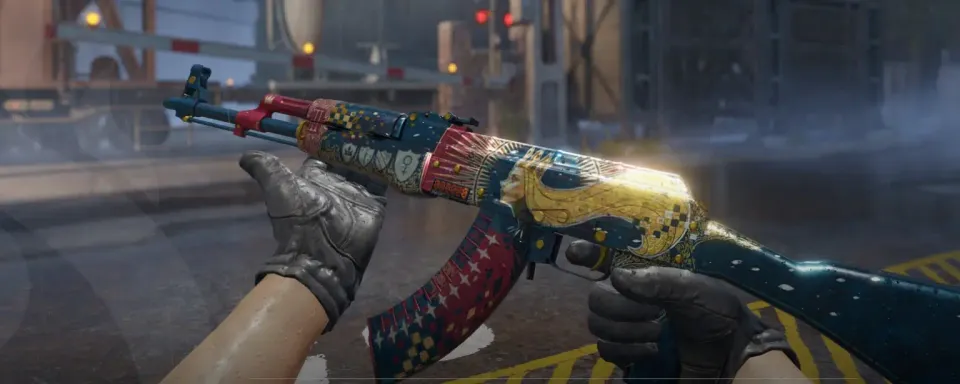
If you’ve played CS2 for even a little while, you’ve probably seen weapons glowing with an orange kill counter on the side. That’s StatTrak – one of the most popular features in the Counter-Strike skin economy. It’s not just cosmetic; it tracks your confirmed kills with that weapon, turning your loadout into a personal history of your frags.
But new players often ask: how to get StatTrak in CS2? Can you move it between skins? Is it even worth the extra price tag? This guide answers all those questions and gives you everything you need to know about StatTrak in CS2.
What Is StatTrak in CS2?
StatTrak is a special counter attached to certain skins that keeps track of the number of kills you score with that weapon. The kill counter appears as a small orange digital screen directly on the weapon model.
If you’re wondering, what is the StatTrak tool in CS2? – it’s an item that lets you transfer your StatTrak counter from one skin to another of the same weapon type. For example, if you upgrade from a cheap AK skin to a high-tier StatTrak AK, you can keep your frag history using the CS2 StatTrak Swap Tool.

How to Get StatTrak in CS2
The main ways to obtain StatTrak skins are:
- Opening Cases – Many CS2 cases contain StatTrak versions of skins, though the odds are lower than regular skins.
- Steam Market – You can buy StatTrak weapons directly from other players.
- Third-Party Trading Platforms – If you trade a lot, you can often grab StatTrak versions for a good price.
So if you’ve ever asked, how do you get the Fever Case in CS2? and open it, you’ll also notice that many of those drops can come with StatTrak.

StatTrak Installation, Transfer, and Price
Feature | Details |
Install | You can’t install StatTrak on a non-StatTrak weapon – it must drop that way or be bought as StatTrak. |
Transfer | Using the StatTrak swap tool, you can move kill counts between skins of the same weapon type. |
Price | StatTrak skins usually cost 20–40% more than their regular version, depending on rarity. |
Visibility | Kill counts show in-game and in the Steam inventory. |

Farming StatTrak Kills
One of the most debated topics in the community is StatTrak farm CS2. This refers to artificially grinding kills to boost your counter. Some players even join StatTrak farm server CS2 setups where they endlessly farm bots or trade kills with friends.
While farming can inflate your kill count, many in the community see it as “fake flexing.” Real bragging rights come from climbing your kill counter in competitive or premier mode.
When Is StatTrak Worth It?
- If you plan to use one weapon for a long time.
- If you’re a skin collector or trader.
- If you like to show off stats in matchmaking.
- Not worth it for guns you rarely use.
This is where the question StatTrak CS2 worth it really comes in – the answer depends on how much you value the cosmetic flex versus the price.


StatTrak vs Non-StatTrak Skins
Aspect | StatTrak | Non-StatTrak |
Price | Higher | Lower |
Kill Counter | Yes | No |
Resale Value | Higher demand | Standard |
Flex Factor | Big | Minimal |
So, is StatTrak worth it? For collectors, traders, and flexers – yes. For budget players – maybe not. But either way, knowing how to get StatTrak, how the StatTrak swap tool works, and where to avoid StatTrak farm server scams will keep you ahead of the curve.
Stay tuned to our site for updates on skins, guides, and case drops. Remember: in CS2, knowledge is just as valuable as aim.




No comments yet! Be the first one to react