


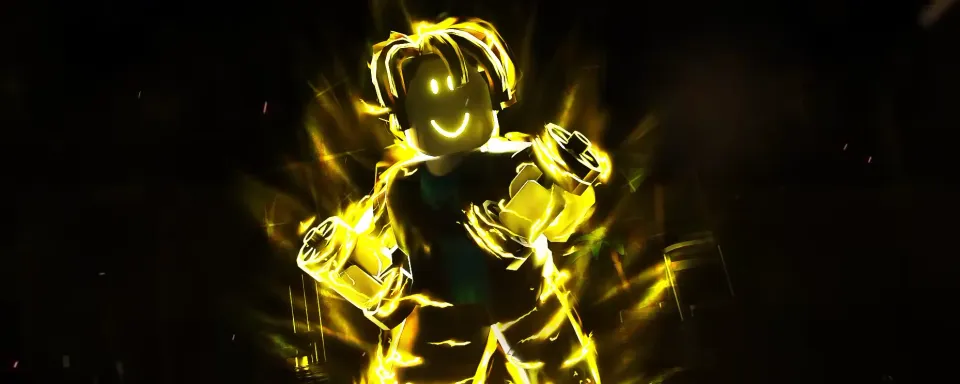
Muscle Legends is a quite popular game within the Roblox community, where you literally level up your character by engaging in sports exercises like a real weightlifter. However, there are gameplay processes that might seem uninteresting for daily repetition on your own. That's why individual developers have created scripts for Roblox Muscle Legends.
Each script has its own functionality that can be useful and simplify character development, making the process quick and convenient without significant effort on your part. In this material, we've gathered all the working and best scripts for Muscle Legends that you can use right now.

What are Muscle Legends Scripts
Scripts for Muscle Legends are a sequence of commands embedded in a special code that automates game processes for the player. Thus, you won't have to perform certain routine and boring actions in the game yourself, as everything can be left to the Muscle Legends script to handle for you.
In Muscle Legends, depending on the script, they will perform push-ups, punches, weightlifting, prevent the server from kicking you for inactivity, etc. So, if you're tired of doing any of this yourself, trust the scripts that will help level up your character and its stats. In other words, scripts are a kind of cheat programs or trainers.

Scripts for Muscle Legends include features such as Auto Muscle, Auto Claim Chests, Auto Rebirth, Auto Spin Fortune Wheel, Auto Spin, Teleports, Auto Farm, Auto Attack, Auto Train, and many others. So you'll surely find a script that suits you.

How to Use Muscle Legends Scripts
To activate the scripts, you'll need an executor to run the desired script. Here's how to use Delta Executor in Roblox:
- Download and install a convenient executor for your PC or smartphone (we recommend Delta Executor, which is suitable for both types of devices and Roblox).
- Launch Muscle Legends in Roblox.
- Run Delta Executor.
- Copy the Muscle Legends script from our list.
- Go to Delta Executor and click the Upload button.
- Enter any script name in the Title field, and the copied script in the Script field.
- Click the Add Script button.
- Press the Execute button in the script list, selecting the script for Muscle Legends.
- A script window will open in the game, where you can configure and activate the necessary functions.


All Muscle Legends Scripts (2025)
Here is a list of all known working scripts for Muscle Legends:
FAQs about Muscle Legends Scripts
Do Muscle Legends scripts require keys?
Not all Muscle Legends scripts require keys. Many of the scripts listed are free to use without them.
![Grow a Garden: All New Pets in the Trader Event Update [UPDATED]](https://image-proxy.bo3.gg/uploads/news/360365/title_image/webp-5b26f6f7583016195694f2ee318672ba.webp.webp?w=150&h=150)
Is it safe to use scripts for Muscle Legends?
Scripts are a type of cheat, so you may be banned from the game or Roblox if the moderation doesn't approve of it.
Also, remember: scripts are just lines of code, and you don't need to download anything (except for the executor). If other resources offer to download a script, it's most likely a virus or other malicious software that can hack your device and steal information.
What is the best executor for Muscle Legends?
The best executor for Roblox, including Muscle Legends, is Delta Executor, which is available on both PC and smartphones.
Can Roblox Muscle Legends scripts be run on a smartphone?
Yes, many scripts are universal and suitable for both PC players and mobile gamers.



![Grow a Garden: All New Pets in the Trader Event Update [UPDATED]](https://image-proxy.bo3.gg/uploads/news/360365/title_image_square/webp-00938cae843e623b74020f72ed51e51b.webp.webp?w=60&h=60)
Comments21