


On September 27, Valve released a new full version of Counter-Strike, and it's already winning the hearts of gamers worldwide. The game offers incredible moments, skill, and a sense of competition, but its intensity can be a real test for your gameplay and equipment.
From the feel of the game to graphics and control settings, every aspect of your gaming PC matters when it comes to the gaming experience and competitiveness. In this article, we will tell you the best settings for Counter-Strike 2.
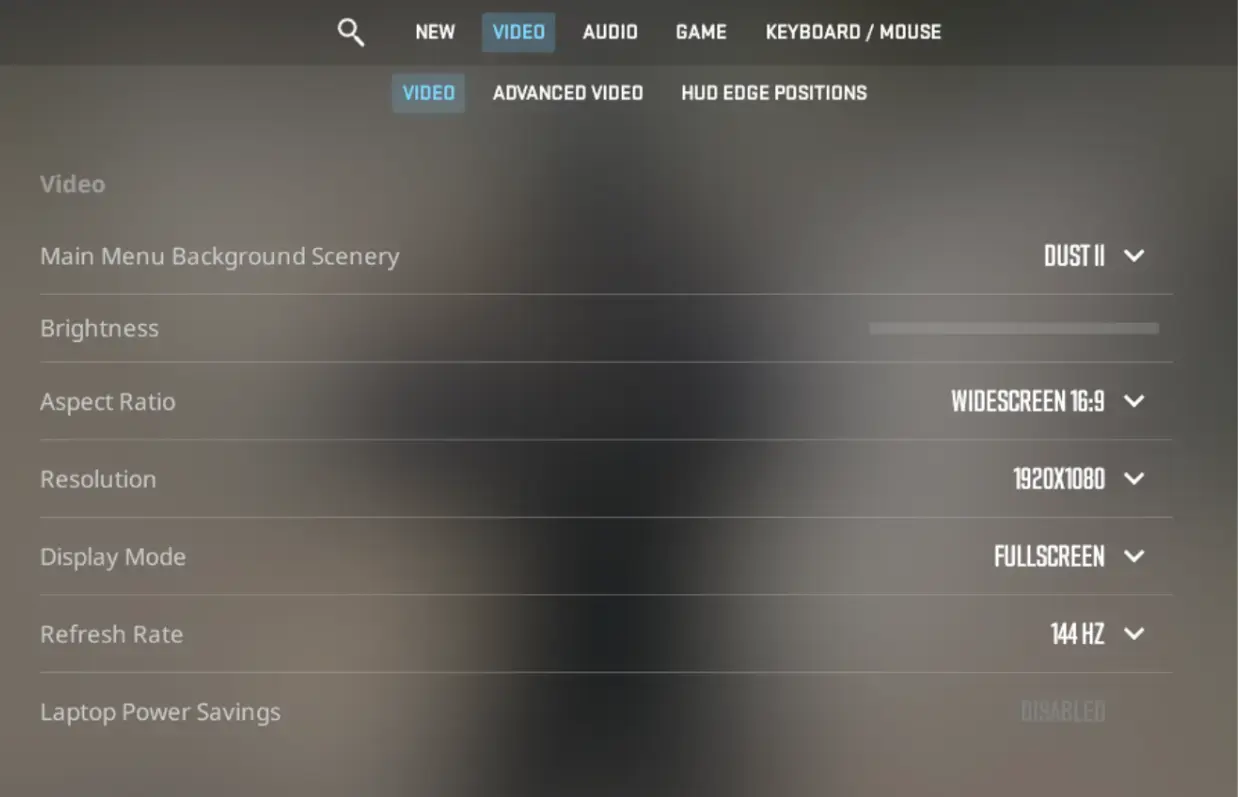
Start by going to video settings and select the native screen resolution and refresh rate for your monitor. Also, make sure the display mode is set to full screen.
Afterward, go to advanced video settings and configure all the options as follows:
- Player contrast enhancement – enabled
- Vertical sync – disabled
- Current video value pattern – non-standard
- Smoothing mode – none
- Overall shadow quality – low
- Model and texture detail – high
- Texture filtering mode – anisotropic 16x
- Shader detail – low
- Particle detail – low
- Scattered shading – disabled
- High dynamic range – fast
- FidelityFX Super Resolution – disabled (highest quality)
- Low latency NVIDIA Reflex – enabled

Counter-Strike 2 is a game where every detail of your PC settings matters. Optimal settings and choosing the right components will help you achieve the highest level of performance and gaming experience. Enjoy uncompromising gameplay and reach new heights in the world of Counter-Strike 2.




No comments yet! Be the first one to react