



Counter-Strike 2 uses the new Source 2 engine. The game looks better and feels smoother. Lights, smoke, and sound are more realistic. But better graphics need stronger hardware. You don’t need an expensive PC to play. You just need to know what works best for CS2. This guide shows what you need for a smooth game in 2025.
Windows System Requirements
CS2 runs well on Windows. But your PC should be strong enough to keep high FPS and no lag.
Part | Minimum | Recommended |
OS | Windows 10 64-bit | Windows 11 64-bit |
CPU | Intel i5-750 / AMD FX-6300 | Intel i7-9700 / AMD Ryzen 5 3600 |
RAM | 8 GB | 16 GB |
GPU | GTX 750 Ti / RX 460 | GTX 1660 Ti / RX 5600 XT |
Storage | 85 GB HDD | 85 GB SSD |
Monitor | 60 Hz | 144 Hz or higher |
If your FPS is low, lower shadows and effects. Turn off motion blur. Play on fullscreen mode. Use an SSD to make the game load faster. It helps a lot in matchmaking and map changes.

Linux System Requirements
You can also play CS2 on Linux. It works with Vulkan support and updated drivers.
Part | Linux (Recommended) |
OS | Ubuntu 20.04 LTS or newer |
CPU | Intel i5-750 / AMD FX-6300 or better |
RAM | 8 GB (16 GB better) |
GPU | AMD GCN+ / NVIDIA Kepler+ with Vulkan |
Storage | 85 GB SSD |
CS2 on Linux runs close to Windows. Just keep your drivers up to date. Before each update, check for new patches. This helps avoid FPS drops or crashes.

What’s New in 2025
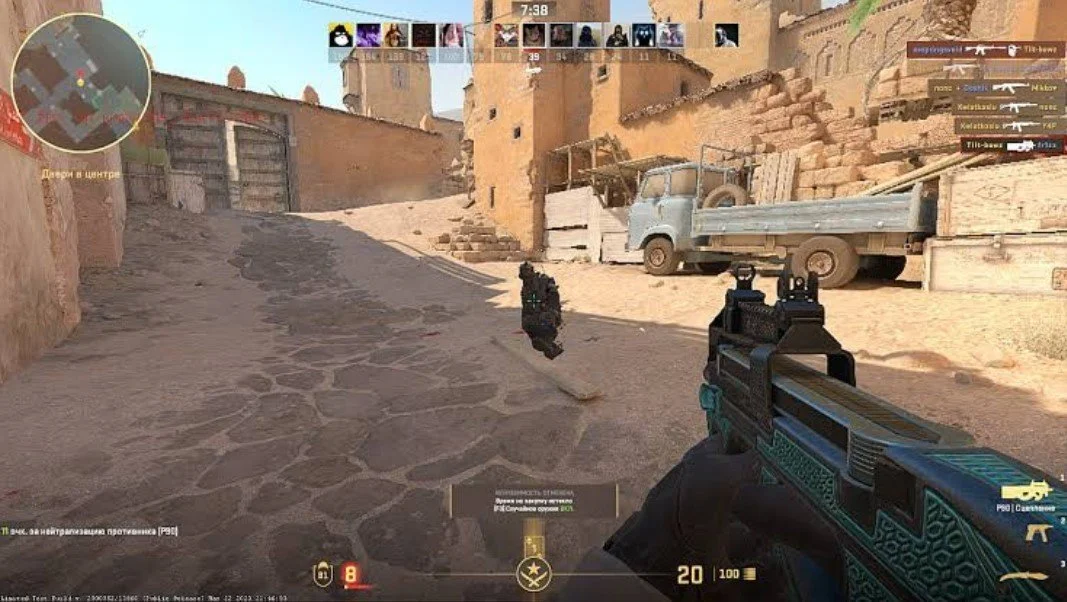
Valve added new graphics and lighting. Smokes move better, and maps look more real. These updates make CS2 look modern but also need more CPU and GPU power. Players with old PCs may see FPS drops in fights or smoke rounds. Still, CS2 runs fine if you use the right settings. Valve keeps fixing bugs and making the game faster. A modern GPU can give 200+ FPS easily.
Performance Tips for Better FPS
You can get more FPS with small changes. Close all apps like browsers, Discord, and background tools. Play in fullscreen mode, not windowed. Turn off V-Sync to lower input lag. Set shadows and effects to low. Update your GPU drivers often. Use an SSD instead of an HDD for faster loading. If you play ranked, use a 144 Hz monitor or higher. It makes aim and movement smoother. You can also add -novid -high -freq 144 in Steam launch options for better performance.

Good PC Setup for 2025
Here is a good setup for CS2 in 2025. Use a CPU like Intel i5-12400F or AMD Ryzen 5 5600. A GPU like RTX 3060 or RX 6600 XT works great. Have 16 GB DDR4 RAM and a 500 GB SSD. Use a 144 Hz 1080p monitor for smooth play. This setup gives over 200 FPS on medium settings. It is great for ranked and pro games.
CS2 does not need a top PC, but better specs help a lot. A setup with 16 GB RAM, SSD, and a good GPU is enough for a smooth game. If you play ranked or tournaments, good FPS helps your aim and reactions. Stable performance means better focus and results. In Counter-Strike 2, every millisecond counts — and a strong PC helps you stay one step ahead.




No comments yet! Be the first one to react